Your people.
Less repetition.
Find contacts with matching phone numbers or email addresses. Review incomplete entries and link matching records, with a local vCard backup before changes.
How contact backups work ↓ Clearona
A little lighter. A lot more room.
Keep the memories. Lose the extra copies. Clearona helps you tidy your photos, files and contacts — one thoughtful choice at a time.
For Android · Coming to Google Play
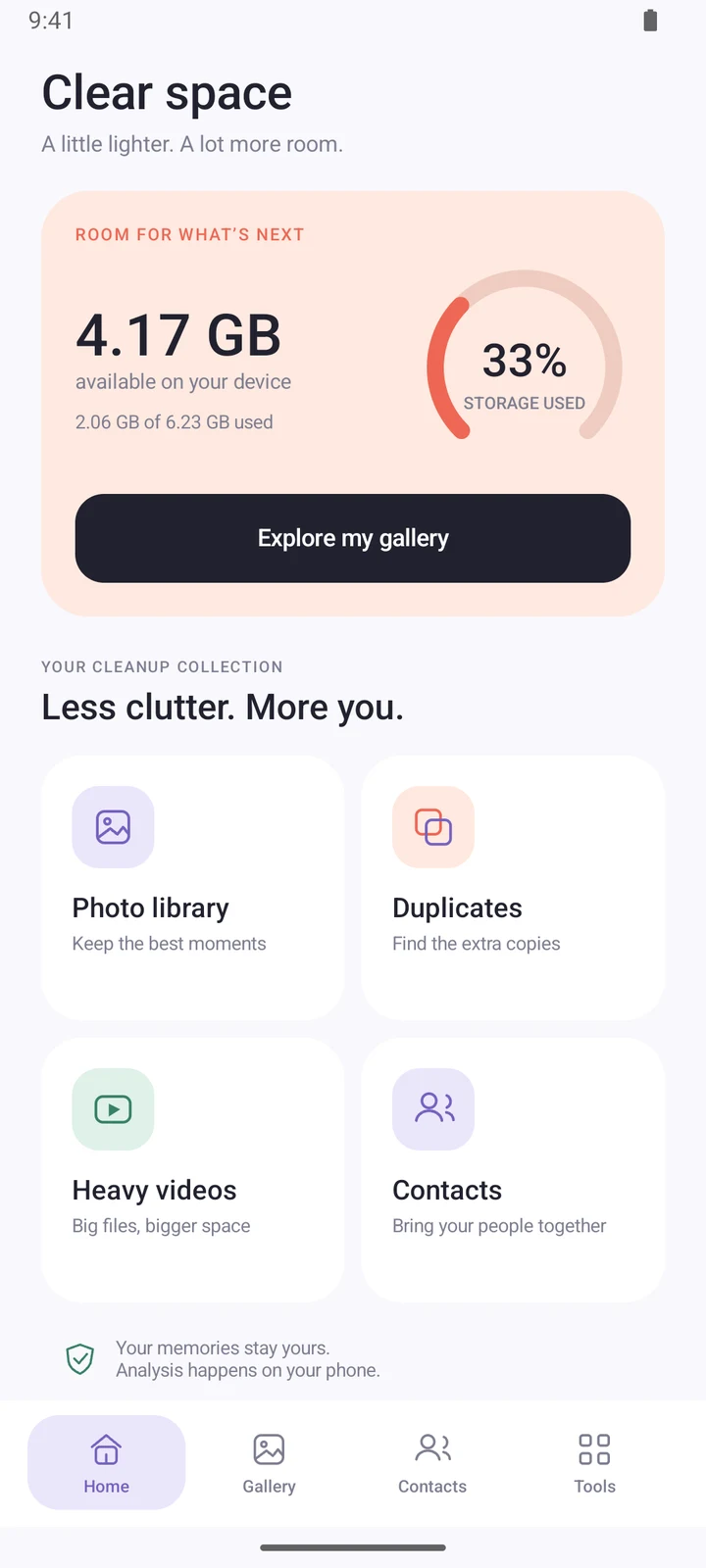
Actual app screens. Illustrative demo content.
Useful tools for the things that build up on your phone. Nothing selected or removed automatically.
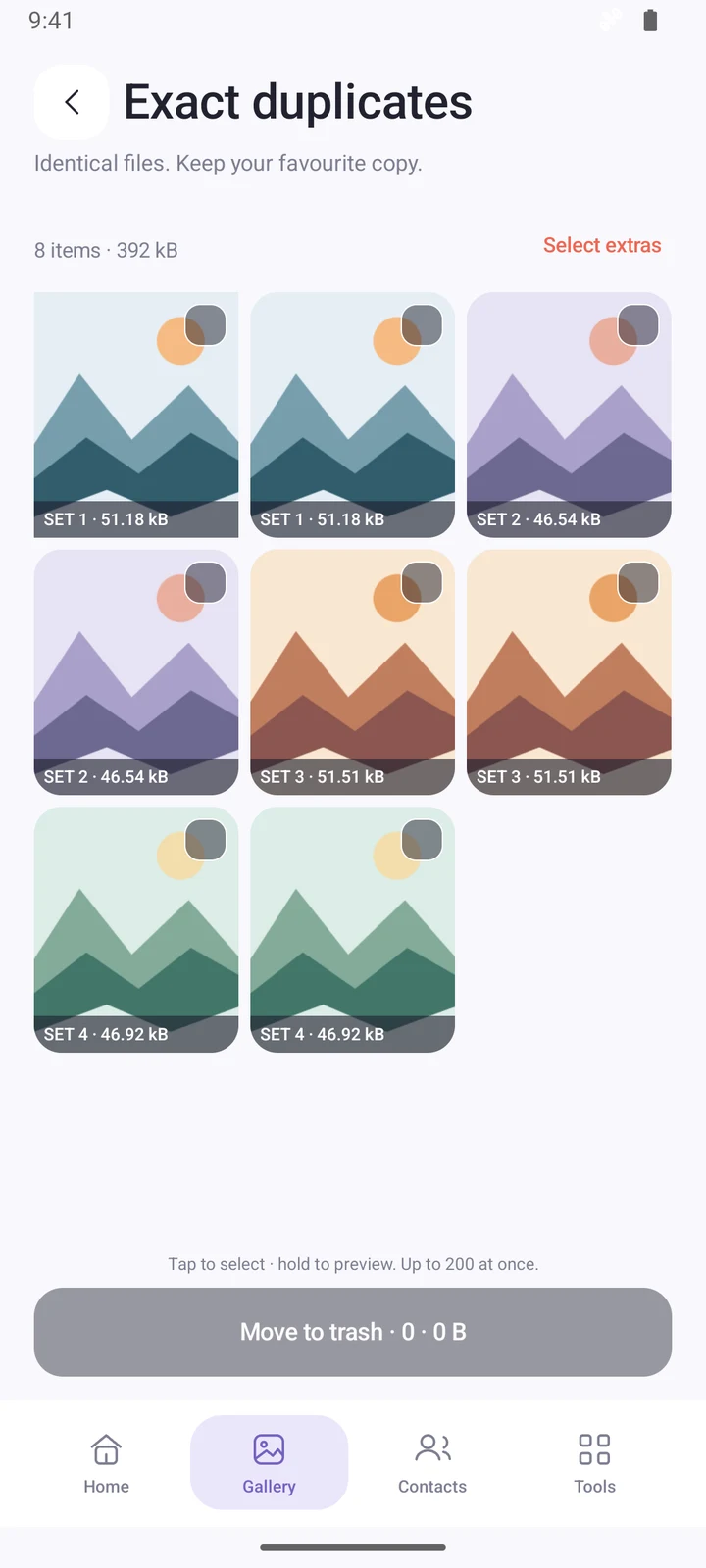
Your gallery, with a little clarity
Find identical files and review similar-photo suggestions. Browse your screenshots and large videos, then decide what is worth keeping.
Find contacts with matching phone numbers or email addresses. Review incomplete entries and link matching records, with a local vCard backup before changes.
How contact backups work ↓Choose a folder using Android’s system picker. Review duplicate files, temporary files, large files and APK installers. You select the files and confirm each cleanup.
See the process ↓No one-tap surprises. Just a clear path from a closer look to a considered cleanup.
Open your gallery, scan your contacts or pick a folder. Allow the access needed for the tools you choose.
Compare extra copies and review the suggested items. Similar photos are suggestions, so you make the final call.
Choose what to remove and confirm the change. Gallery items use Android’s trash on Android 11 and later; folder deletion is permanent.
Made to be mindful
Photo, file and contact analysis happens on your phone. Clearona requests permissions when you use the relevant tools.
No push notifications. No collection of installed apps. No analytics. Cleanup runs on your device; links and exports open the browser or app you choose.
Read our privacy policy ↗A few useful details
No. This edition has no push service and does not collect a list of installed apps. Photo, file and contact analysis stays on your device. If you email support or export a backup, you choose what to share.
No. Nothing is preselected or deleted automatically. Review the items, make your selection and confirm. Exact-duplicate cleanup keeps at least one copy.
Clearona saves a local vCard backup before linking or deleting contacts. Export it from Tools → Contact backups to keep a copy outside the app. Private backups are removed when you uninstall. Changes to synced contacts may reach your other devices.
No. Clearona reviews the files and media you allow it to access. You can open Android’s storage settings from Tools to manage other apps’ storage.
Clearona supports Android 8.0 and later. Its interface is in English. Some features depend on your Android version and permissions. On older Android versions, gallery deletion may be permanent.
Visit Contact Us to reach Clearona Support. You can also ask about removing local data or any information you previously shared with support.
Questions about Clearona? We’re here to help.